Mobile workspace
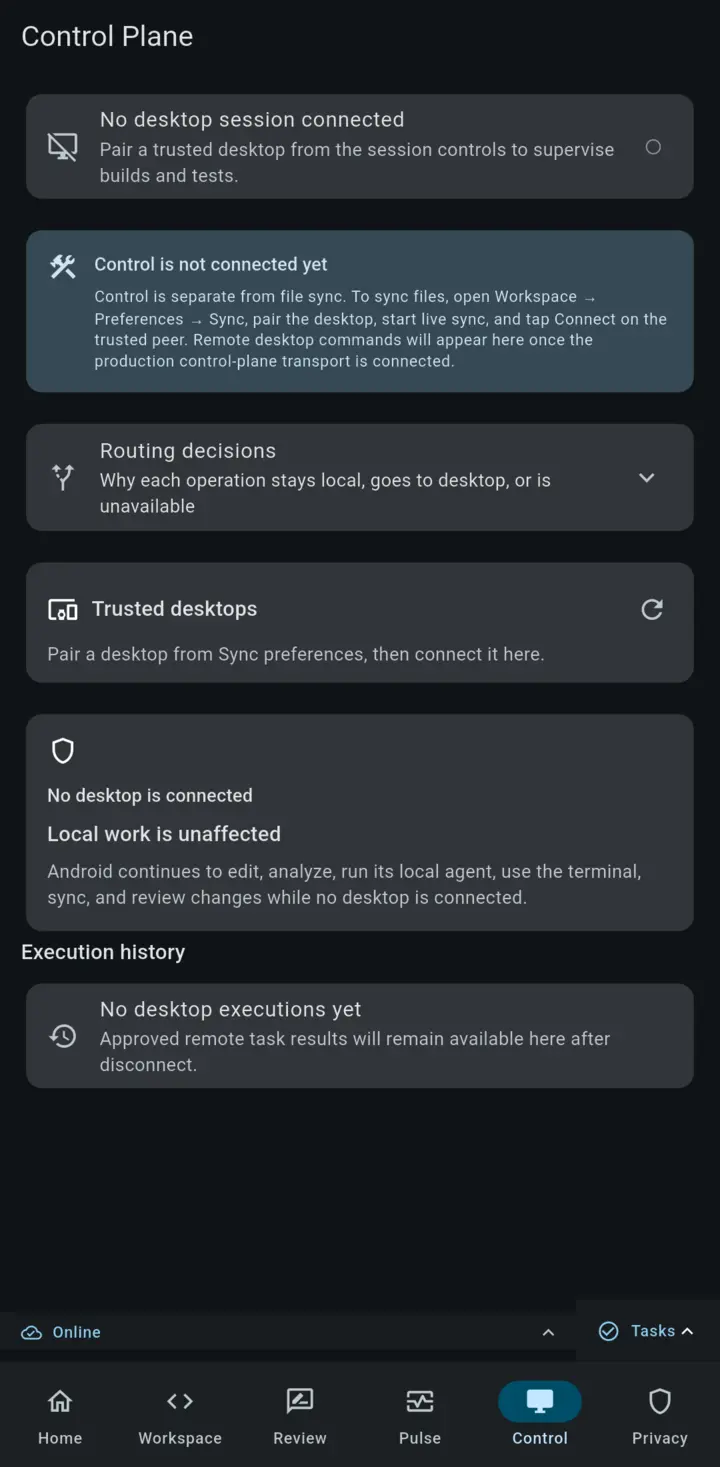
Use Control Plane to approve and monitor desktop work from Android, while local editing, review, and project context remain on the device.
Rope Notes on Android is a development workspace and a control surface for work that needs desktop tools. You can edit local files, inspect project health, review changes, and use an app-local sh terminal on the device. When a task needs a desktop SDK or build tool, Control Plane sends a scoped operation to a paired desktop and keeps the approval on Android.
Run desktop work from Android
Control Plane exposes the operations that a paired desktop has made available to the current workspace. These can include Analyze, Test, Build, Run, and configured custom commands. It does not turn the phone into an unrestricted remote shell.
Complete a desktop operation
- Open the project on Android and open Control Plane.
- Select a trusted desktop that is reachable through your VPN or another trusted network path.
- Choose one of the operations advertised for that workspace. Control Plane shows the route and the operation before execution.
- Review and approve the request on Android. The desktop receives a structured, workspace-scoped operation instead of an arbitrary shell string.
- Follow the live status and output. If the operation reports diagnostics, review them with the execution record.
- If the operation produces an artifact, transfer it back to the Android device.
- Return to the execution history to inspect what ran, which desktop handled it, and how it finished.
Each execution requires approval. Pairing a desktop does not grant every project or operation permission to run.
Continue through connection changes
Control Plane keeps the connection boundary visible throughout the workflow.
| State | What remains available |
|---|---|
| Desktop connected | Inspect advertised operations, approve a request, follow output, and retrieve artifacts. |
| Connection drops during work | Keep the local execution record and see that the remote route needs attention. |
| Desktop unavailable | Continue local editing, review changes, inspect Project Pulse, use the app-local shell, and prepare queued work. |
| Connection returns | Reopen the execution history, inspect the latest known result, and start an available operation when you are ready. |
Work directly on Android
- Open a project through the Android document picker and work with local files.
- Edit files, preview Markdown, search, and inspect Dart diagnostics.
- Use Home to resume recent workspaces and files, see attention items, and capture a note locally.
- Open Project Pulse for Git status, diagnostics, validation, agent state, sync state, and architecture signals.
- Review agent and filesystem changes one hunk at a time; accept, reject, comment, defer, or validate.
- Open Control Plane to supervise approved work on a paired desktop.
- Pair devices for P2P sync and transfer sessions when the project needs to move.
- Open Privacy & Trust to inspect what is local, what is shared, which backend is active, and which permissions apply.
Mobile and desktop capabilities
| Capability | Desktop | Android |
|---|---|---|
| Edit files and open a project | Yes | Yes, through the document tree |
| Dart analysis | Yes | Yes |
| Git and project panels | Yes | Yes, where supported by the project |
| Embedded terminal | Yes | Yes, app-local sh |
| Ollama / compatible endpoint | Yes | Yes, when reachable |
| Cloud agent providers | Yes | Yes |
| P2P sync | Yes | Yes |
| Session transfer | Yes | Yes |
| Review and approval surfaces | Yes | Yes |
| Paired desktop supervision | Host | Approve and monitor |
Desktop can run Ollama locally. Android can use an Ollama or compatible endpoint when it is reachable from the device; the app-local sh terminal is available without a desktop connection. Mobile can also use configured cloud providers, connect to trusted peers, and supervise work on a paired desktop when that is the better fit.
Continue work across devices
Session transfer can carry open tabs, cursors, unsaved buffers, agent draft/context, and selected project state. Use it when you want a deliberate handoff between machines. P2P sync is for keeping selected open project files aligned across trusted peers.
These are different workflows: transfer is a one-time handoff, while sync keeps an open project aligned. Pairing and approvals remain explicit actions.
Work offline and understand the boundary
Core local editing, saved context, quick capture, and queued work do not require a hosted service. Networked model providers, peer connections, and some handoff paths do. The mobile Home and Privacy & Trust surfaces distinguish local-only, offline, queued, blocked, and remote work so you can choose the next action with the actual connection state in view.
For the full setup flow, see Getting started, P2P sync, Session transfer, and AI agent.