v1.0.0 — Early Access

Rope Notes: A local-first development workspace

A local-first development workspace where your project, tools, agent, and device boundaries stay visible. Edit, analyze, run tools, understand the project, and review AI-assisted changes across desktop and mobile.

Android workspace Project intelligence Local-first workflow Human-reviewed changes

Bring editing, Dart analysis, Git, terminal tools, project intelligence, and a reviewable agent into one cross-platform workspace. Work on-device, connect to a private network backend, or choose a hosted provider when that trade-off fits your project.

Built for the way work actually moves

A workspace that follows the moment

Rope Notes is useful in the gaps between places, networks, and tools—not only when you are sitting at a desk with everything already configured. Keep work moving without tying your workflow in knots.

01 On the go

Continue from your phone or tablet

Open the project, inspect its health, review an agent change, or capture the next thought from Android. When the work needs a desktop toolchain, issue an approved build request over a trusted network path and get the artifact and diagnostics back.

See the mobile workflow →
02 At home or in the office

Keep the development loop close to the project

Use the editor, Dart analysis, Git, terminal tools, and a local or private-network model together. Work with the infrastructure you already trust without making a hosted service the center of every task.

Configure the agent →
03 Before a change lands

Move from question to reviewed change

Give the agent project context, use the graph and diagnostics to understand the problem, then inspect the proposed plan and diff before anything is applied. Your approval remains part of the development loop.

Explore project intelligence →

Know where the work runs

One workspace, explicit boundaries

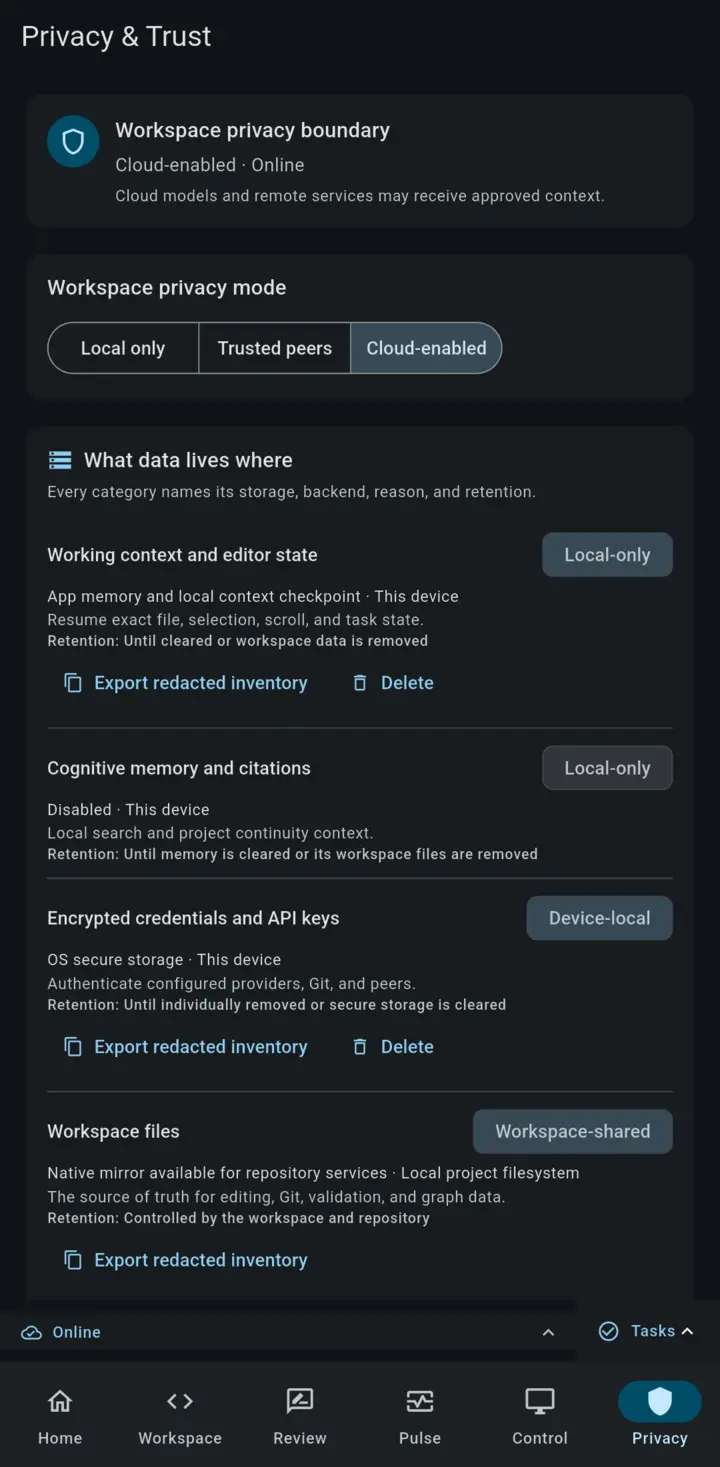
Rope Notes does not treat “the cloud” as a hidden default. Each part of the workflow has a clear place to run, and you choose which connections your project allows.

On your device

Editor and project state

Files, editing, Markdown, diagnostics, local tools, project memory, and supported offline work stay close to the project.

Private infrastructure

Models you can control

Route agent requests to Ollama, llama.cpp, vLLM, or another compatible local or private-network endpoint.

Paired desktop

Desktop toolchains on demand

From Android, send an approved build request through a trusted network path and receive the artifact and diagnostics back.

Optional hosted provider

Connect when it fits

Use hosted models when their capabilities justify the trade-off. Provider terms, credentials, and usage costs remain visible.

Designed around a review boundary: the agent can inspect context and propose work, but changes remain visible for you to accept, reject, or defer.

The full development loop

A workspace built around your project

Rope Notes keeps the editor, analysis, tools, and agent close to the code so you can inspect what is happening and decide what gets applied.

Edit

Fast, structured editing

Work with tabs, Markdown preview, find and replace, diffs, recovery, and a native rope-backed editor designed for large documents.

Understand

Dart analysis in context

See diagnostics, completions, hover information, navigation, and Quick Fix support in the editor and Problems panel.

Act

An agent you can review

Chat, plan, use configured tools, and execute proposed changes through inline previews and diffs that keep approval in your hands.

Operate

Tools beside the code

Use Git, terminal, Explorer, Problems, preferences, and workspace panels without leaving the project context.

Connect

Choose your model path

Use a local model, a private-network endpoint, or a hosted provider. Rope Notes does not bundle model tokens or hide the provider boundary.

Move

Sync and transfer sessions

Pair devices for optional P2P sync or move workspace state with session transfer when the project needs to change environments.

Mobile is a primary surface

A real workspace in your pocket

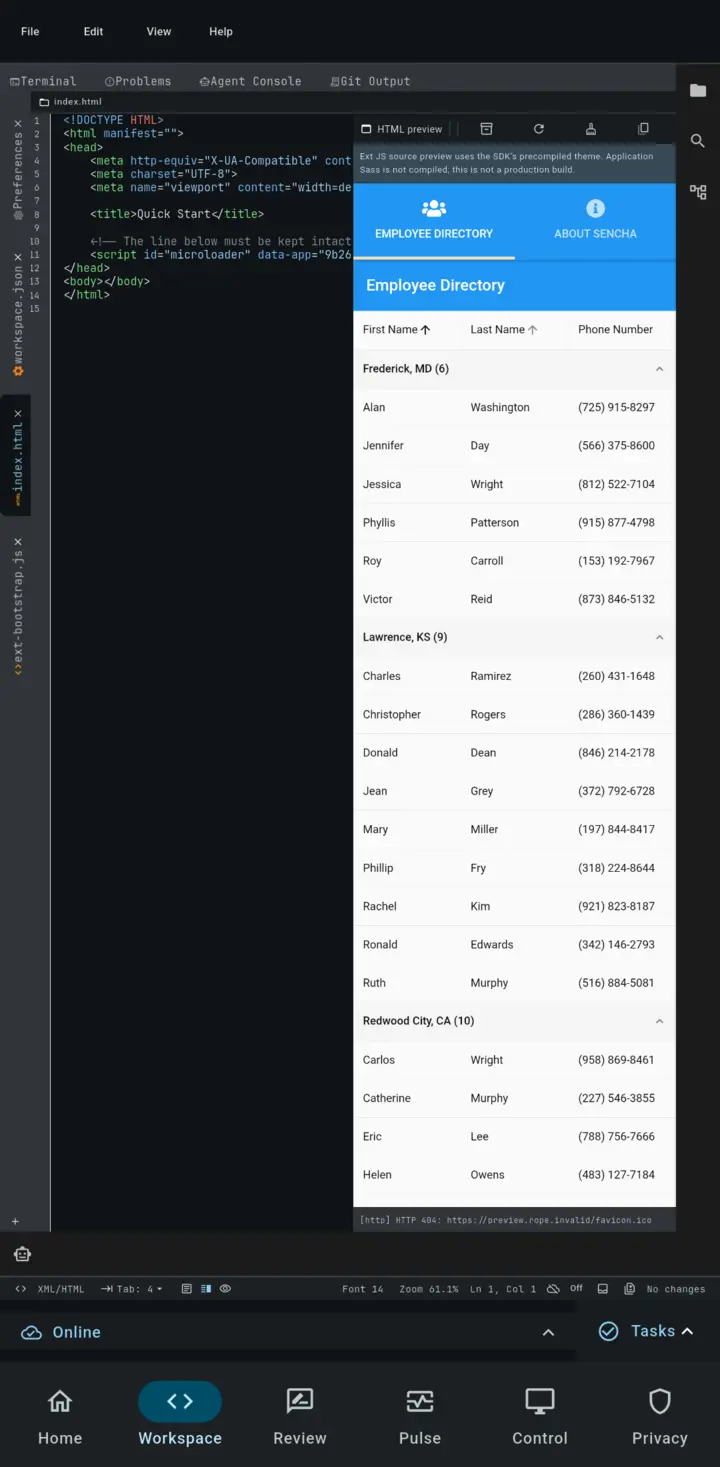
Rope Notes on Android is not a remote viewer. It gives you a mobile-native place to resume work, inspect project health, review changes, and continue useful local tasks when you are away from the desk. When the next step needs a desktop toolchain, use a VPN or trusted network path to send an approved build request and receive the artifact back.

Work locally

Edit, inspect, and capture

Open a project through the Android document picker, edit files, preview Markdown, inspect Dart diagnostics, and save a thought locally—even without a project or a network connection.

Resume context

Start where you left off

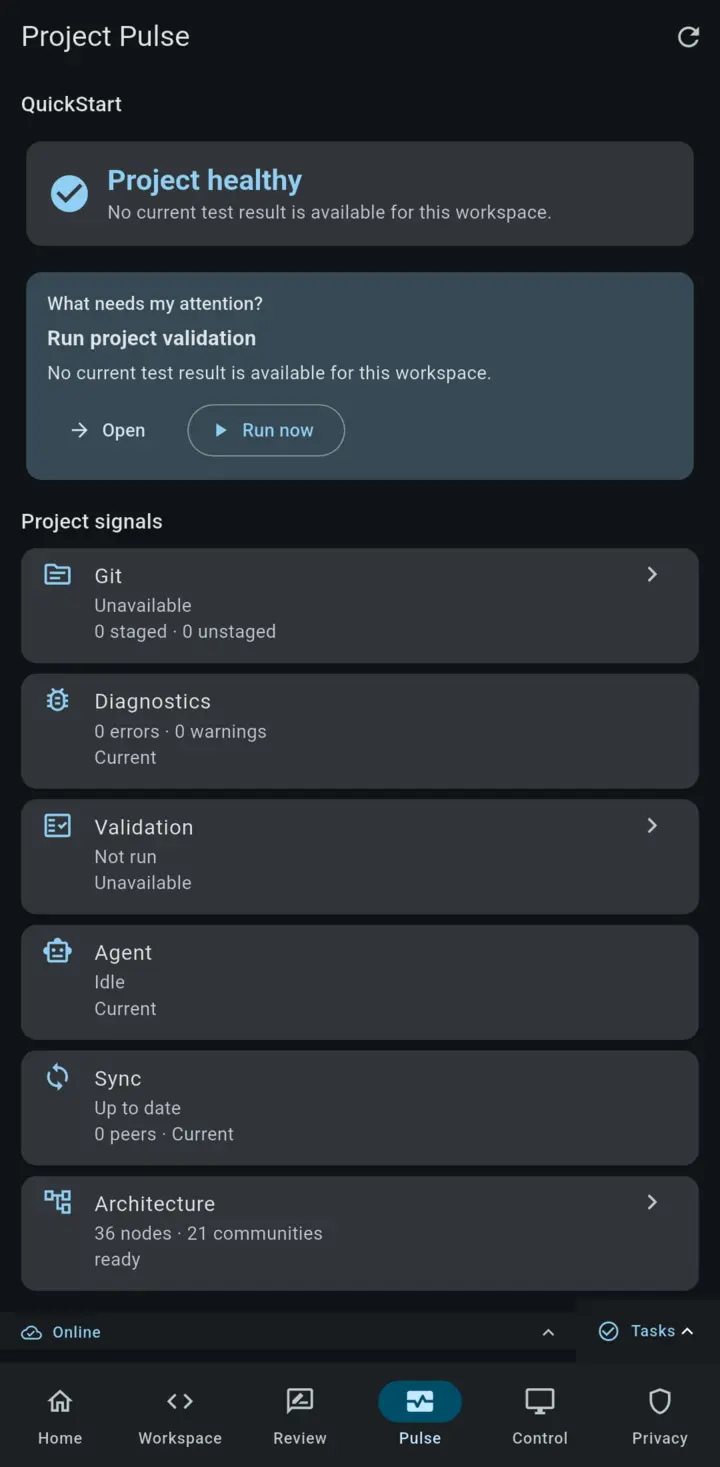
Recent workspaces, recent files, saved context, attention items, and Project Pulse make the phone a useful place to find the next action instead of reconstructing it from memory.

Review safely

Keep approval in your hands

Review agent and filesystem changes one focused hunk at a time. Accept, reject, comment, defer, or validate work from a touch-friendly review surface that preserves your place.

Build from anywhere

Desktop power, mobile control

Through a VPN or other trusted network path, send an approved build request from your phone or tablet to a paired desktop, watch progress, and receive the artifact and diagnostics back.

Connected Cut a build on a train, from a hotel, or anywhere your connection reaches.
Offline Work offline on a flight and send it when you reconnect.

Clear platform boundaries

Local when offline, remote when connected. Android includes an app-local sh terminal and can use a reachable Ollama or compatible endpoint. With a VPN or trusted network path, it can ask a paired desktop to build and return the artifact. Model hosting, sync, session transfer, and paired desktop supervision remain explicit configuration choices.

Read the mobile guide →

Understand the whole project

More than a folder full of files

Rope Notes can turn a project into a navigable, evidence-aware workspace—so the agent and the developer can reason about relationships instead of guessing from a single open file.

See the structure

Explore the project graph

Search symbols and files, inspect communities and hotspots, trace paths between nodes, and export a project graph when you need the bigger picture.

Explore project intelligence →

Ask with evidence

Ground answers in the workspace

Combine graph relationships with analyzer facts, documentation, Git state, saved sessions, and other available project evidence. Sources and uncertainty stay visible.

See how evidence works →

Remember decisions

Keep project knowledge close

Capture requirements, invariants, hazards, terminology, and rejected alternatives as durable project knowledge that can be reviewed and linked to the work.

Read the guide →

An agent with a development loop

From question to reviewed change

The agent lives beside the editor and project tools. It can understand the workspace, plan a task, use configured tools, and present changes for review instead of turning every request into an opaque one-shot answer.

Context

Start with the work in front of you

Mention files with @path, bring in Explorer context, and let open tabs provide relevant snippets within a visible token budget.

Review

Keep edits inspectable

Chat, plan, and execute multi-step work through ghost previews, diffs, per-file review, accept/reject controls, and explicit approval boundaries.

Extend

Use skills that fit the task

Invoke bundled or project-local skills for repeatable workflows such as testing, Flutter changes, documentation cleanup, and architecture work.

Remember

Keep useful context over time

Persist project memory and plans, search session history, and optionally use on-device semantic memory. Permissions and web-fetch policy stay configurable.

Choose the provider boundary. Use a local model, a private-network endpoint, or a hosted provider. Rope Notes keeps credentials in secure storage and makes the active transport and pricing boundary visible.

Explore the AI agent →

Choose your workflow

Private by configuration, useful by default

01

Work locally

Edit files, inspect diagnostics, use local tools, and keep the core workflow on the device when that is the right fit.

See Dart analysis →
02

Use private infrastructure

Route agent requests to a local machine or private network service such as Ollama, llama.cpp, vLLM, or another compatible endpoint.

Configure the agent →
03

Connect when you choose

Use a hosted provider when its capabilities fit the job. The provider’s terms and data handling remain part of that decision.

Read the privacy policy →

Why it is built this way

Keep the agent close to the work

Rope Notes treats the project tree, editor buffers, diagnostics, permissions, and review workflow as first-class state—not as context pasted into a chat window. That makes the human approval boundary visible and gives each tool a clear job.

Read the architecture case studies →

Early access

One lifetime license. Your own workflow.

$35

One lifetime license covers your personal installations on macOS, Linux, Windows, Android, and iOS.

The first 100 licenses are $35; the price increases to $50 afterward. Updates are included across supported platforms. Rope Notes does not bundle recurring model tokens, so any hosted provider charges remain separate and visible.

Personal, cross-platform coverage: macOS, Linux, Windows, Android, and iOS. See the documentation for platform-specific setup and limitations.

runtime_target_manifest x

$ ./rope-notes.AppImage

# Local-first environment setup complete.

Questions about the license or a platform build? Use the request form above. We use it only to respond.

Before you start

Frequently asked questions

What is Rope Notes?

Rope Notes is a cross-platform, offline-first development workspace with a real Android surface, editing, Dart analysis, Git, terminal tools, project intelligence, and a reviewable AI agent.

Can I build from my phone or tablet?

With a VPN or other trusted network path to a paired desktop, Rope Notes can send an approved build request, monitor progress, and return the build artifact and diagnostics. Local editing, review, and queued work continue offline; remote builds require connectivity.

What can I do on Android?

Android supports local project editing, Dart analysis, an app-local shell, agent workflows, review and approval, P2P sync, session transfer, Project Pulse, and supervised work on a paired desktop.

Can I use local AI models?

Yes. You can connect local or private-network backends such as Ollama, llama.cpp, vLLM, and other compatible endpoints.

Does every feature work offline?

No. Core editing and supported local workflows can run without a hosted service. Hosted model providers and some first-time platform setup may require network access.

Are model-provider costs included?

No. Rope Notes licensing and model-provider usage are separate. If you choose a hosted provider, its pricing and data-handling terms apply.

What does the lifetime license cover?

One lifetime license covers your personal installations across macOS, Linux, Windows, Android, and iOS. Updates are included; model-provider charges are separate.